
Document types and pages
Paper size
Printing on US Letter or A4, and why the same script has the same pages on both.
On this page
Screenplays are written to American measurements everywhere, but they are not printed on American paper everywhere: most of the world prints on A4. Calmly Script prints on either.
Choosing the paper
Settings › Printing › Paper size: US Letter or A4. Open Settings with (Ctrl+,⌘,).
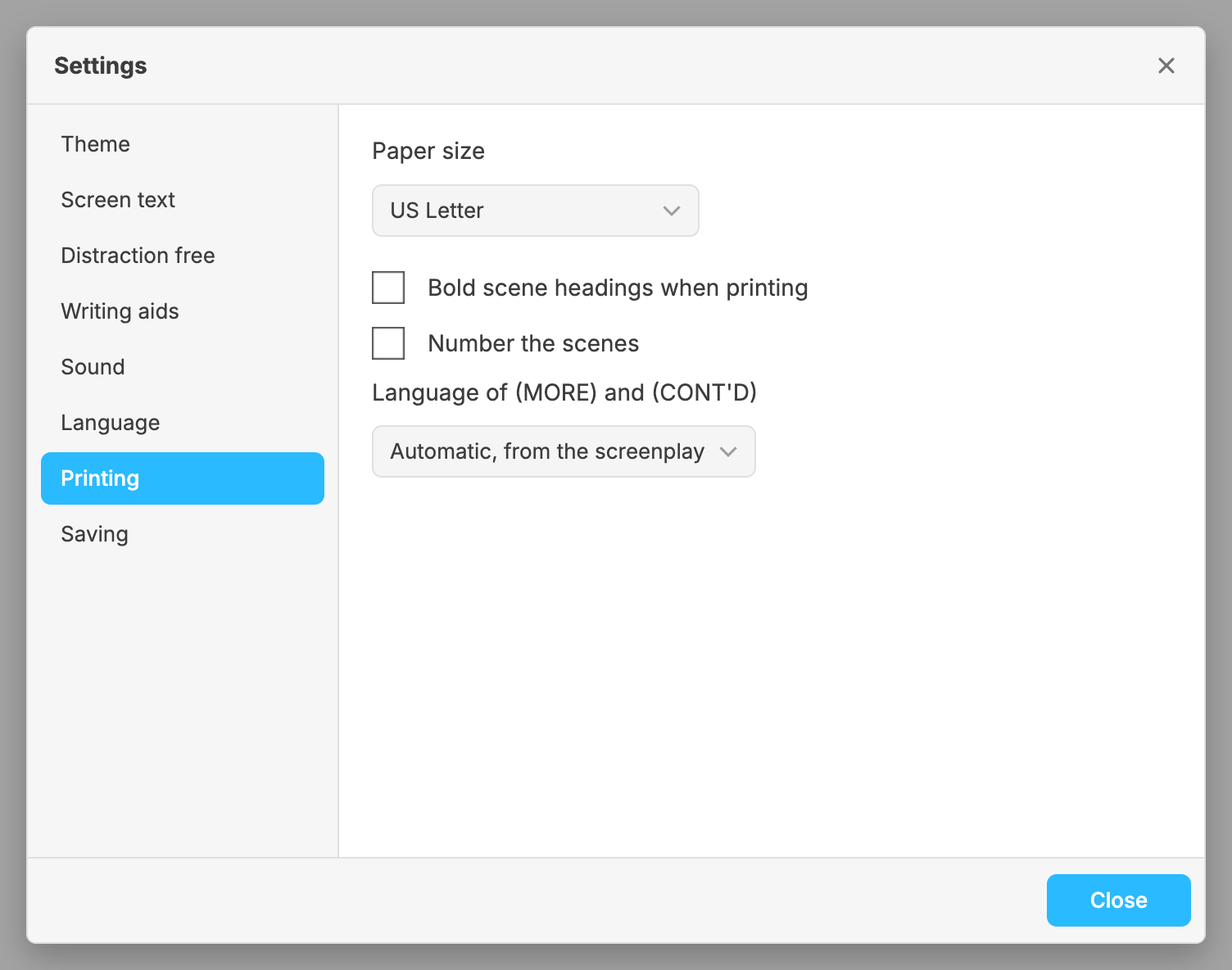
Until you choose, the paper follows the country your system is set to. It is US Letter in the United States, Canada, Mexico, the Philippines, Puerto Rico, Chile, Colombia, Venezuela and Central America (Costa Rica, the Dominican Republic, Guatemala, Honduras, Nicaragua, Panama and El Salvador), and A4 everywhere else. When the app cannot tell the country, it is US Letter.
The paper is a setting of the app, not of the script: a .fountain file has
nowhere to keep it. It applies to everything that prints: ,
, and the
Preview, which changes as soon as you change it.
The same pages on both papers
A page of screenplay is a minute of film, so a script must not get shorter because it was printed in Europe. Calmly Script keeps the text on the page the same on both sheets: the same column, the same lines, 54 of them to a page, and so the same page breaks and the same page count. What A4 changes is only the margin around that text. A4 is a little narrower and taller than US Letter, so the right margin is a little narrower, and the extra height goes to the bottom margin.
That means you can switch the paper to send a script abroad without it moving a single page break.
Bold scene headings
The same section has Bold scene headings when printing, off when you start. Final Draft prints scene headings in plain Courier, and so does Calmly Script unless you turn this on. It changes the ink and nothing else: bold Courier is as wide as plain Courier, so no line and no page moves. On screen, scene headings are bold either way.
Scene numbers
Number the scenes, off when you start, numbers every scene on the
printed page, in the Preview and in the Word and Final Draft files, and leaves
your .fountain as it is. A number you typed yourself is kept. See
Scene numbers.
The words at a page break
Language of (MORE) and (CONT'D) chooses the language of the words printed when a speech runs over a page. Left on Automatic, from the screenplay, they are in the language the screenplay is written in. See (MORE) and (CONT’D).